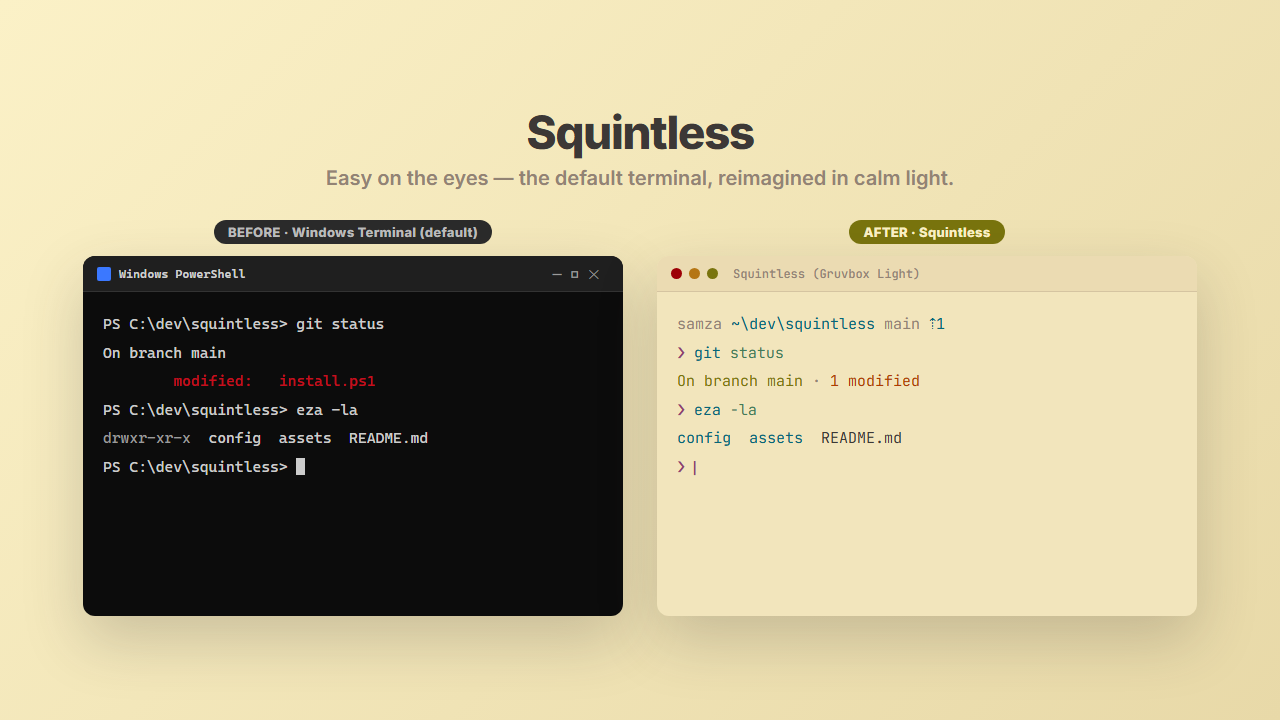
A one-command setup that makes your whole terminal easy on the eyes, on Windows, macOS and Linux. The terminal, font, shell, git diffs and your Claude Code statusline, all in one calm palette, in warm Gruvbox light or deep Tokyo Night Moon dark. Free & open source.
Install
> irm https://sameerzahir.com/sq | iex
Windows (PowerShell 7+). On macOS / Linux: curl -fsSL https://sameerzahir.com/sh | bash. Also on the PowerShell Gallery (Install-Module Squintless) and Scoop.
Idempotent and non-destructive: it backs up every file it touches, and uninstalls clean. Restart your terminal when it's done.
What you get
Use it inside Claude Code
Squintless is also a tiny Claude Code plugin. Add the marketplace, install it, then run /squintless-setup:
/plugin marketplace add sameer-zahir/squintless
/plugin install squintless@squintless
Why I built this
My eyes hurt. I spend all day in a terminal, so I asked Claude to help me rebuild mine to be genuinely easy on the eyes. Then I realised it was worth sharing with anyone who codes long days. Read the full story →